Google Cloud Platform
Deploy VM
To deploy VyOS on Google Cloud Platform (GCP):
Generate an SSH key pair of type ssh-rsa on the host that will connect to VyOS.
Example:
ssh-keygen -t rsa -f ~/.ssh/vyos_gcp -C "vyos@mypc"
Note
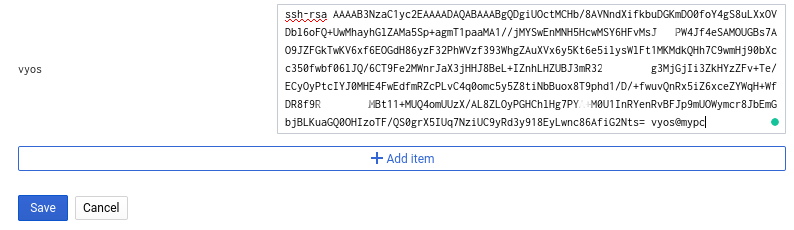
The SSH key comment must begin with vyos@ because that’s the
default VyOS user. GCP uses this value to set the username on the instance.
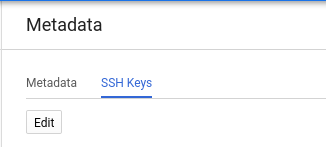
Open the GCP Console and navigate to Metadata. Select SSH Keys and click Edit.
Click Add item, paste your public SSH key, and click Save.
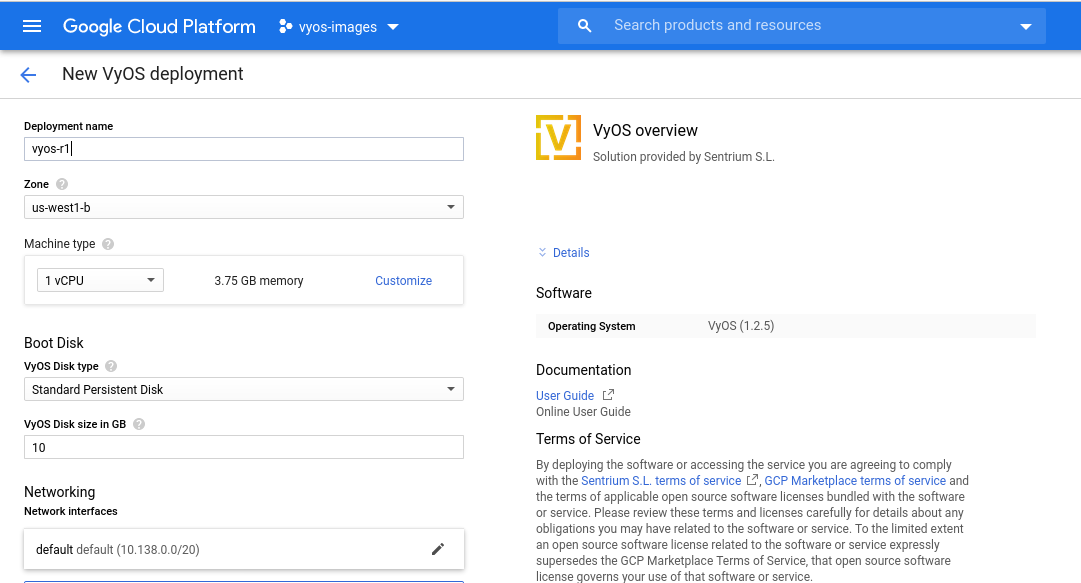
Search for “VyOS” in the Marketplace.
Configure the deployment name, zone, and machine type, then click Deploy.
After a few seconds, select your instance.
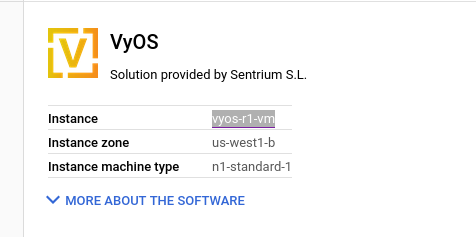
Note your external IP address.
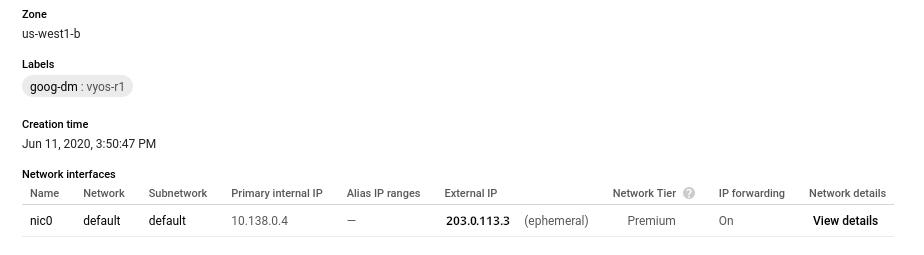
Connect to the instance using the SSH key you generated in step 1.
ssh -i ~/.ssh/vyos_gcp vyos@203.0.113.3
vyos@vyos-r1-vm:~$