Boot Options
Warning
This function can disrupt services. Run it only when necessary, and verify all input values before proceeding.
VyOS provides several kernel command-line options to modify the normal boot process. To add an option, select the desired image in the GRUB menu at load time. Type e to edit the first line, then type Ctrl+X to boot.
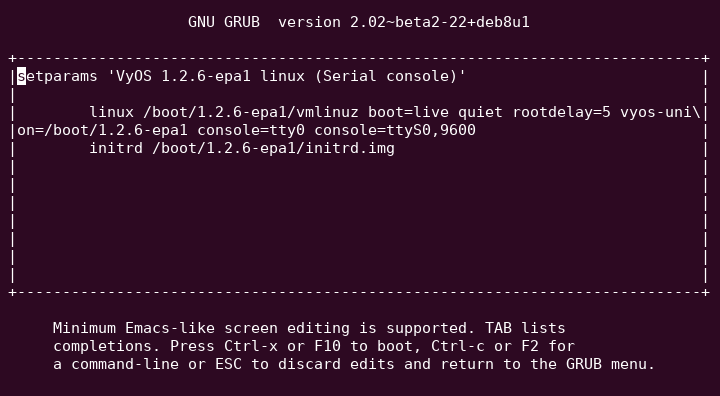
Specify custom config file
You can use a configuration file instead of the default /config/config.boot
file.
If the specified file doesn’t exist or isn’t readable, the system uses the
default configuration file.
No additional verification is performed, so specify a valid configuration file.
vyos-config=/path/to/file
To load the factory default configuration, use:
vyos-config=/opt/vyatta/etc/config.boot.default
Disable specific boot process steps
These options disable certain steps in the boot process. Understand the boot process before using them.